Saturday, 16 August 2008

Windows 7 details to be released

Screen of Windows 7 blog, Microsoft
The announcements were made on the new Windows 7 blog

A first glimpse at the technology inside the next version of Windows will be given in October.

Microsoft has said that engineering information about Windows 7 will be shared with attendees at two technical conferences it runs.

Windows 7 developers will show off their work at both the Professional Developers Conference and the Windows Hardware Engineering Conference.

Based on Vista, Windows 7 is expected to be released in January 2010.

The announcement about the unveiling was made on a new Windows 7 blog written by engineers putting the software together.

Before now details about Windows 7 have been scant. Writing on the blog the two senior engineers on the project, Jon DeVaan and Steven Sinofsky, said this was because Microsoft did not want to talk up features that never make it to the final product.

It was also wary, it said, of talking about features and technologies in a way that would cause confusion among its partners.

Microsoft has also been reluctant to talk about Windows 7 as it continues to promote Windows Vista as its flagship operating system.

What is known about Windows 7 is that it will use components from Vista at its core and that it will have a touch interface that, with the appropriate screen, can recognise gestures to complete tasks. For instance pinching the screen could be used to close documents or manipulate images.

Industry experts have speculated that Windows 7 will also have more virtualisation technologies onboard as well as tools that make it easier for people to get at their data and programs as they use different machines.

Legal milestone for open source

creative commons copyright
Giving up some rights means you still have protection under the law

Advocates of open source software have hailed a court ruling protecting its use even though it is given away free.

The US federal appeals court move overturned a lower court decision involving free software used in model trains that a hobbyist put online.

The court has now said conditions of an agreement called the Artistic Licence were enforceable under copyright law.

"For non-lawgeeks, this won't seem important but this is huge," said Stanford Law Professor Larry Lessig.

"In non-technical terms, the Court has held that free licences set conditions on the use of copyrighted work. When you violate the condition, the licence disappears, meaning you're simply a copyright infringer.

"This is a very important victory."

Copyright infringement

According to details outlined in the ruling, Robert Jacobsen had written and then released code under an Artistic Licence. This meant anyone using that free code had to attribute the author, highlight the original source of the files and explain how the code had been modified.

Mr Jacobsen, who manages open source software group Java Model Railroad Interface, accused commercial software developer Matthew Katzer and his company of ignoring the terms of the Artistic Licence when they took his code and used it to develop commercial software products for trains.

pen source
Individual credit for contributions not cash drives the community

An earlier court ruling did not agree with Mr Jacobsen's stance that Mr Katzer and his company had infringed his copyright and said the licence Mr Jacobsen used was "intentionally broad." Instead the court ruled he might be able to claim breach of contract.

Legal experts have said the distinction is important since under federal copyright law a plaintiff can seek statutory damages and can be more easily granted an injunction than under contract law.

But now the US appeals court "determined that the terms of the Artistic License are enforceable copyright conditions".

"Copyright holders who engage in open source licensing have the right to control the modification and distribution of copyrighted materials," Judge Jeffrey White wrote in his 15-page decision.

"Open source licensing has become a widely used method of creative collaboration that serves to advance the arts and sciences in a manner and at a pace few could have imagined just a few decades ago," Judge White said.

'Welcome change'

Mark Radcliffe of the Open Source Initiative said: "Although the reasoning is limited to the Artistic Licence and the interpretation of each open source licence will depend on the wording of its provisions, this decision is a welcome change."

The ruling has implications for the Creative Commons licence which offers ways for work to go into the public domain and still be protected. These licenses are widely used by academic organisations like MIT for distributing coursework, scientific groups, artists, movie makers and Wikipedia among others.

creative commons
Creative Commons releases copyright licences under its name

Creative Commons filed an amicus or friends brief on behalf of Mr Jacobsen. Its general counsel Diane Peters told BBC News "The federal court recognised that even though licensors give up some rights it doesn't mean they have any less rights to access the remedies our law provides.

"This opinion demonstrates a strong understanding of a basic economic principle of the internet; that even though money doesn't change hands, attribution is a valuable economic right in the information economy."

If the case had gone the other way it would have been a real blow to the open source movement, according to Jeff Neuberger a partner at Proskauer Rose LLP.

He told the Wall Street Journal: "Lots of companies rely on open source, and if they had lost their ability to enforce their rights they would have shied away from the software."

Wednesday, 13 August 2008

5 Useless Compiz Fusion Effects

Compiz Fusion is the best thing that happened to Linux desktop user experience yet. In the world of Linux bashers who argue that Linux is not quite ready for home users; compiz is one of the few things that really set Linux apart from other OS with major market share. It can give you good brownie points when you are trying to compare desktop effects with non-linux user friends, and it is truly exclusive to Linux OS. However, as it is with most other fancy desktop user interface (Aero for Vista, Aqua for OS X), the excitement quickly wears off after the first week or so; and those nifty little effects are not so awesome anymore. I don’t know about you, but square 3D workspace or wobbly windows does not add any level of productivity to my daily computer usage. If anything, it makes using computer much more distracting. Some effects are actually useful but most effects are not. It’s true, we can easily turn off any desktop effects we don’t like to use and some of these effects are highly customizable. Still I feel we need to make a list of “WTF, why would anyone want to use this?” effects with Compiz Fusion.

1) Dome sphere mode: Seriously what are we supposed to do with this? Bounce the sphere , while using pidgin? I thought the standard dome effect (albeit nice) was useless enough; but this one beats it fair and square. For more annoyance, try out the cylinder effect.

2) Burning window while minimizing effect: This truly revolutionizes my desktop usage; when I am frustrated with some application; I can just burn the window - over and over again. This could be useful sometimes.

3) Flying Paper-plane window effect: This one actually folds your window in the form of a paper plane and then flies and minimizes to your panel. You have to see it to believe it.

4) Rain Effect: For a very successful dose of distraction use the rain effect. Even better; try watching a movie with rain effect and woobly window, you will never see movies the same way again. I promise you that.

5) Atlantis Plugin: Finally, last but not least, the atlantis plugin. If you want many many sharks dolphins (looking for penguins?) swimming all over your screen in 3D; this my friend is the perfect plugin for you.

Joking aside, Compiz has some really nice features; if you havent tried it yet. You should really try it out. You won’t find this stuff in Mac or Vista. Enjoy and have a great weekend.

10 Most Beautiful Looking Linux Desktop.

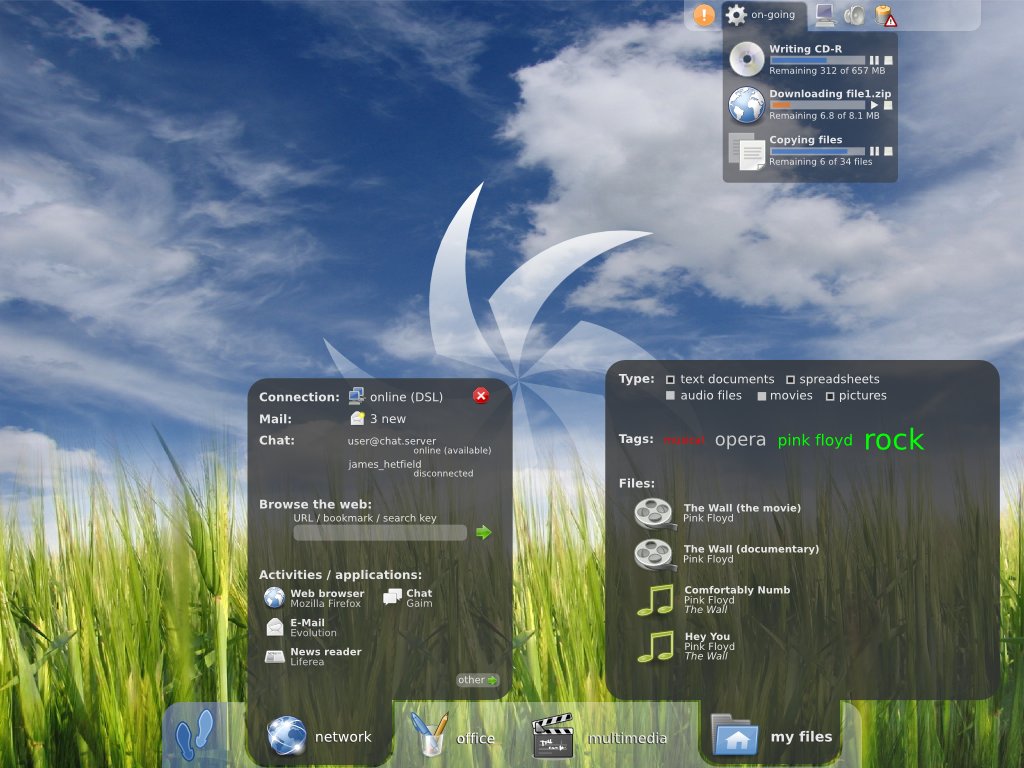
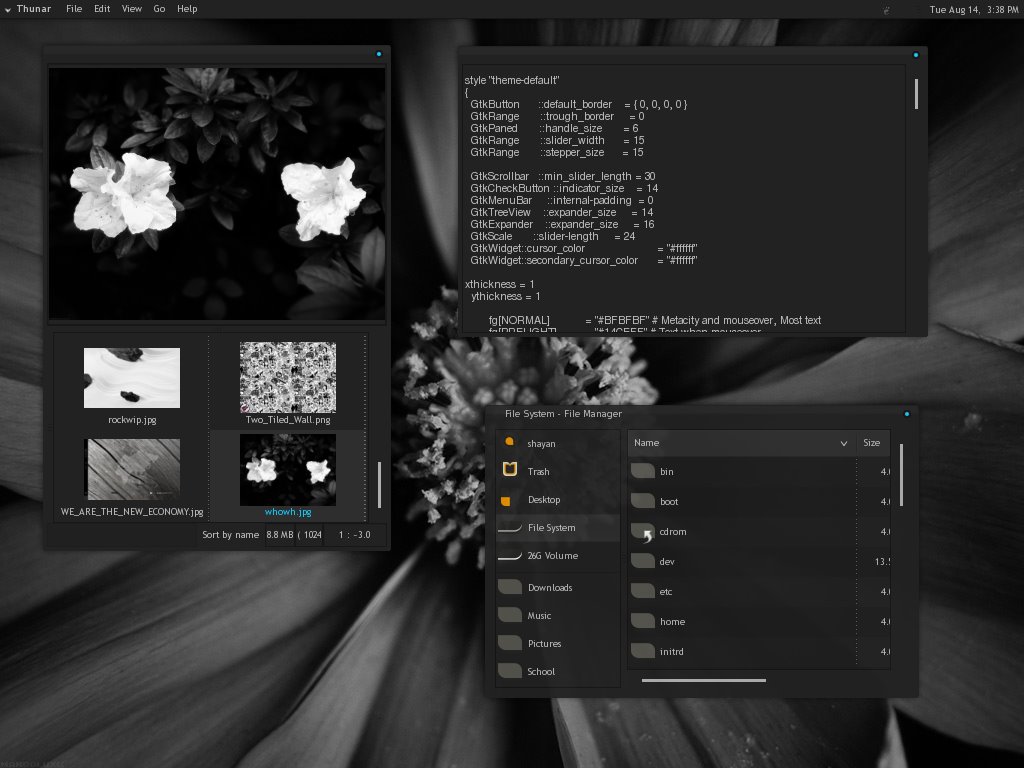
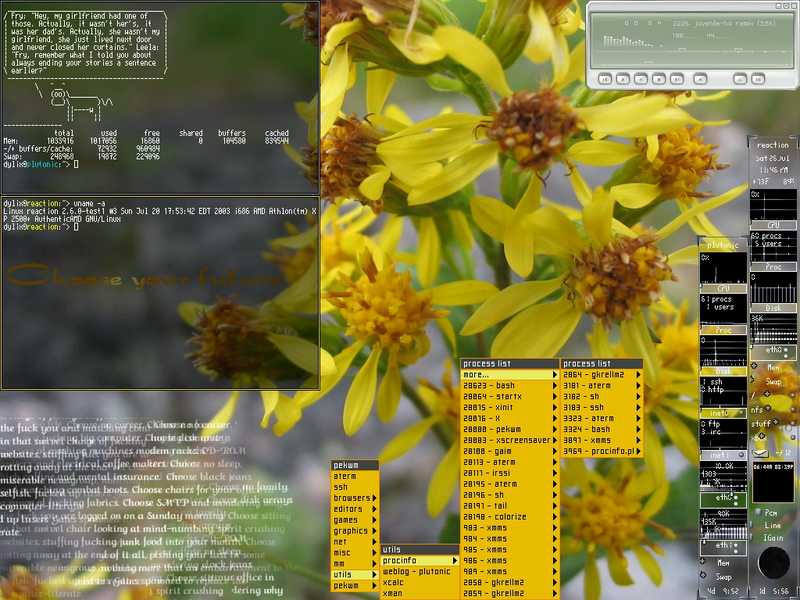
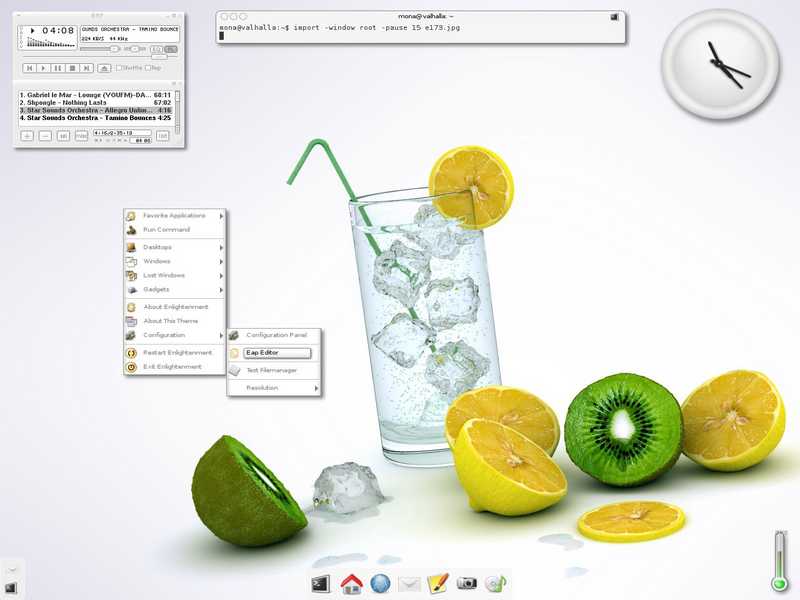
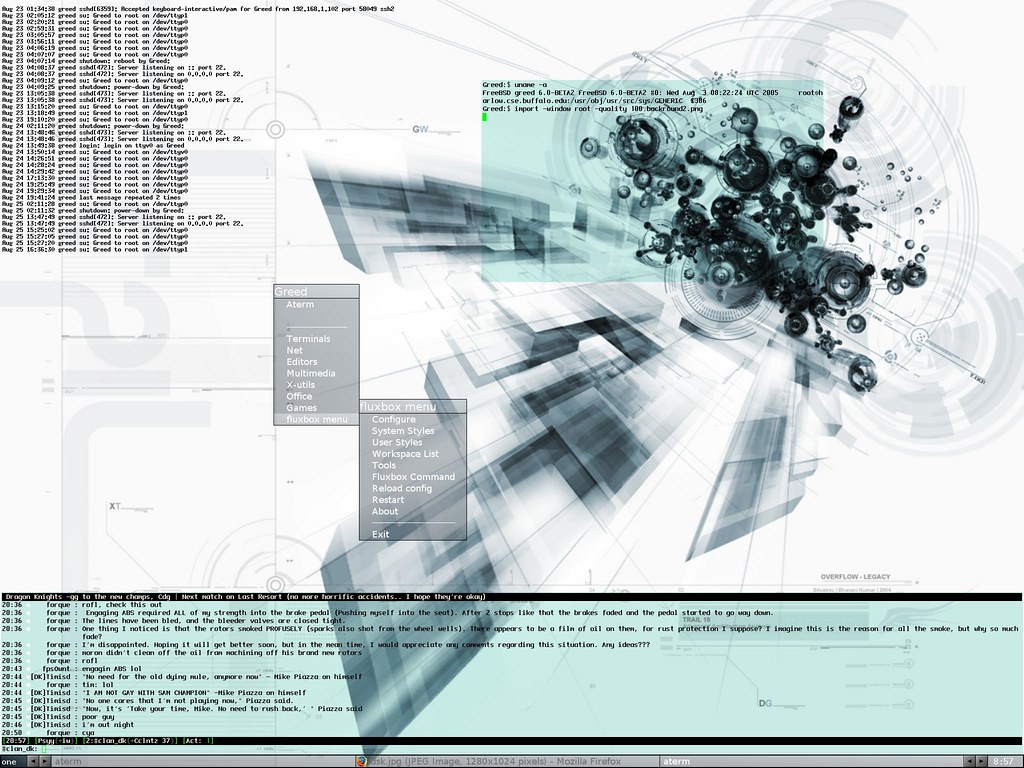
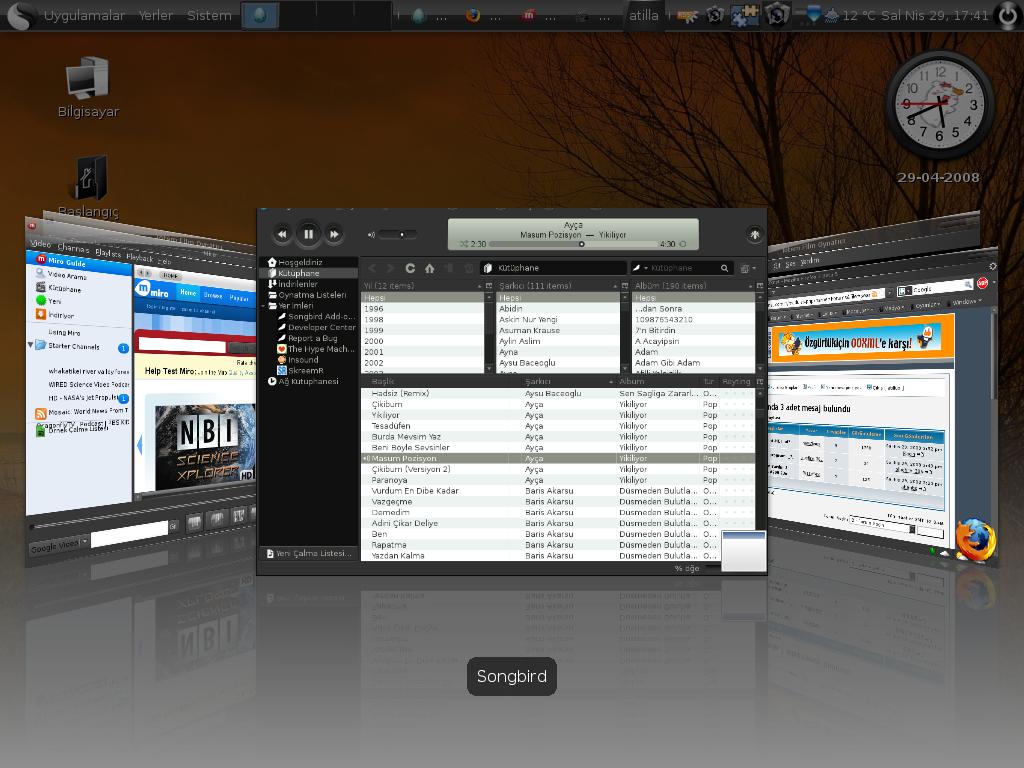
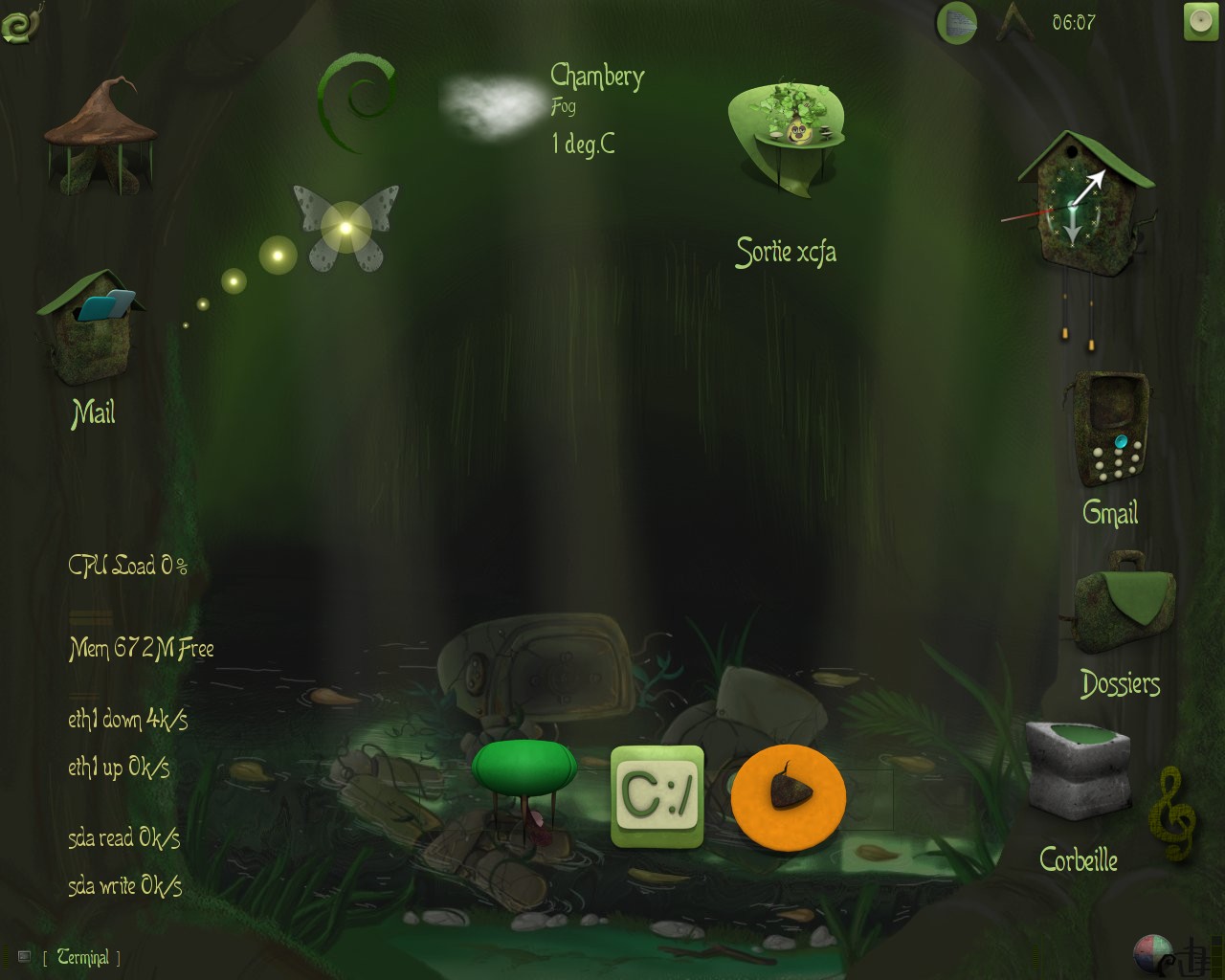
Over the years I came across many many linux Desktop screenshots, it’s amazing how someone can spend huge amount of time tweaking and customizing their desktop look. Here are some of few linux desktop look I really liked, because of their creativity and uniqueness. They are not necessarily the most beautiful, but they are certainly very unconventional.

*Update: As mentioned by some, the first picture was a mockup; I wasn’t aware of that.

Click on the images for larger size.

1)

2)

3)

4)

5)

6)

7)

8)

9)

10)

How does your desktop look? Share with us.

3 Ways to Try Out Linux, For a Windows User

One of the arguments I often hear from people who are trying to use linux for the first time is that they are not sure if they can switch back to their original choice of OS (usually windows), if they are not satisfied with their experience with linux. These are usually the people who are not as tech savy or previously had bad experience while trying to install linux which resulted in destroying their windows installation. With each iteration of windows OS Microsoft has made it less friendlier for linux to be installed along with windows.

Linux is all about choices, and I believe the users should have the choice to switch back and forth into whatever OS they want to. And in order to do so we have to make this experience for new users as friendly and as non-destructive to their experience as possible. And hopefully when they see the true power and the convenience they get from Linux experience, they will make the full switch themselves.

1) Cygwin: Cygwin lets you run powerful linux applications under windows environment, without having to install the whole OS. This is possible with the help of cygwin1.dll, which acts as a Linux API emulation layer. The programs themselves need to be recompiled to run under cygwin. There are a large number of application available for you to run under cygwin. This is a great way for you to get your toes wet with Linux environment and try out some of the more common linux applications out there. Don’t be fooled by my description; but cygwin itself is very powerful and widely used by many serious developers working under windows environment.

You can read more about Cygwin and download it from it’s website: http://www.cygwin.com/

2) Virtualization: Virtualization puts some spice to your computer experience, and with the help of seamless virtual machine setup (read my how-to), you will have a hard time justifying installing linux in a separate partition or even ever having to reboot to your linux partition. There are currently two leading OS vitualization application out there: Commercial application VMware, and freeware and my favorite Virtualbox. Virtualization has come a long way from it’s early days, its support for external devices like USB, wifi, DVD are better than ever before. But Virtual OS is not for everyone. You will will need some decent memory and CPU power to appreciate the true strength of virtualization. Even with all it’s its features and performance there is still a lot to be desired in terms of graphics and speed. VirtualOS is right for you if you find yourself using linux not as often. For more information, check out VirtualBox and VMware.

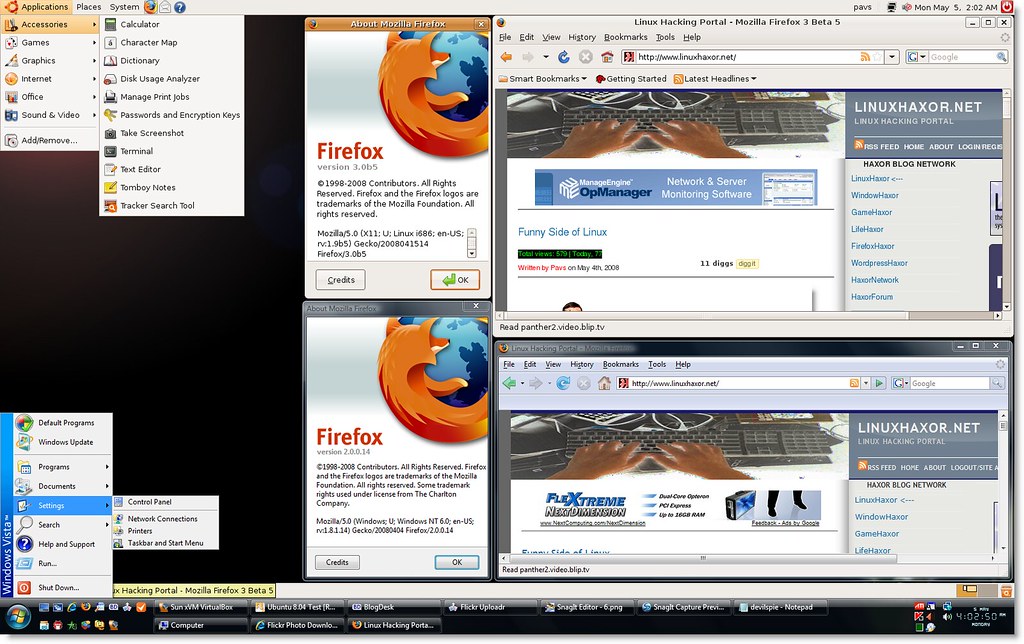
Here is an image of Seamless virtualbox setup where firefox is running under windows and Linux setup separately at the same time:

(click for larger image)

Another form of virtual linux installation that is quickly gaining popularity among virtual linux users are virtual desktops with coLinux (Cooperative Linux) kernel. What sets these virtual machines apart from traditional virtual installation is it’s speed, which runs almost as good as a native installation; as it get full control of host machine hardware. Cooperative Virtual Machine (CVM) is a rather new development and is not as widely adopted or used by the linux community, yet. You can find a small list of linux distro using coLinux kernel, here. I have personally used Ulteo, and it works great; it is a plug and play Ubuntu-derived coLinux distribution that provides hundreds applications out of the box, has very easy installation and works on XP and Vista (32-bit only). Check out ulteo for yourself, here.

Here is Ulteo in action:

3) Wubi: Wubi stands for (Windows-based Ubuntu Installer). I swear by wubi and highly recommend to new users thinking about using linux with minimum risks. With Wubi, you get to install a full-featured linux distro (this case Ubuntu), inside a windows partition, without loosing any performance and risking your system by creating a separate partition. Wubi works so great that it performs as good as a native linux installation. Wubi also gets full access to graphics card which lets you use compiz-fusion functionality, and other third party devices which is not always possible with virtual machines. To remove a wubi based linux system, you would uninstall it the same way you would uninstall any windows application. From my experience, installing with wubi is much faster than installing in a separate partition. The only drawback with wubi-based system is that since it’s installed on top of a NT file system, over time performance might degrade because of fragmentation; which you can improve by defragmenting your linux file system.

Installing Wubi:


Uninstalling Wubi:

Hopefully this will help you make the switch to linux, without the fear of loosing anything. Linux can be a great alternative to your primary OS, and these are some great ways to try it and compare it yourself.

Visitor CounterWeb Site Hit Counter